New in 3.12.0: ask your own AIFree, open source (AGPL)
Your energy costs under control.
Advance payment, bill, switching and your rights: Energietracker calculates the way the bill does and tells you in good time what is coming up. Self-hosted, no account, your data stays with you.
The demo runs entirely in your browser, with invented sample households.
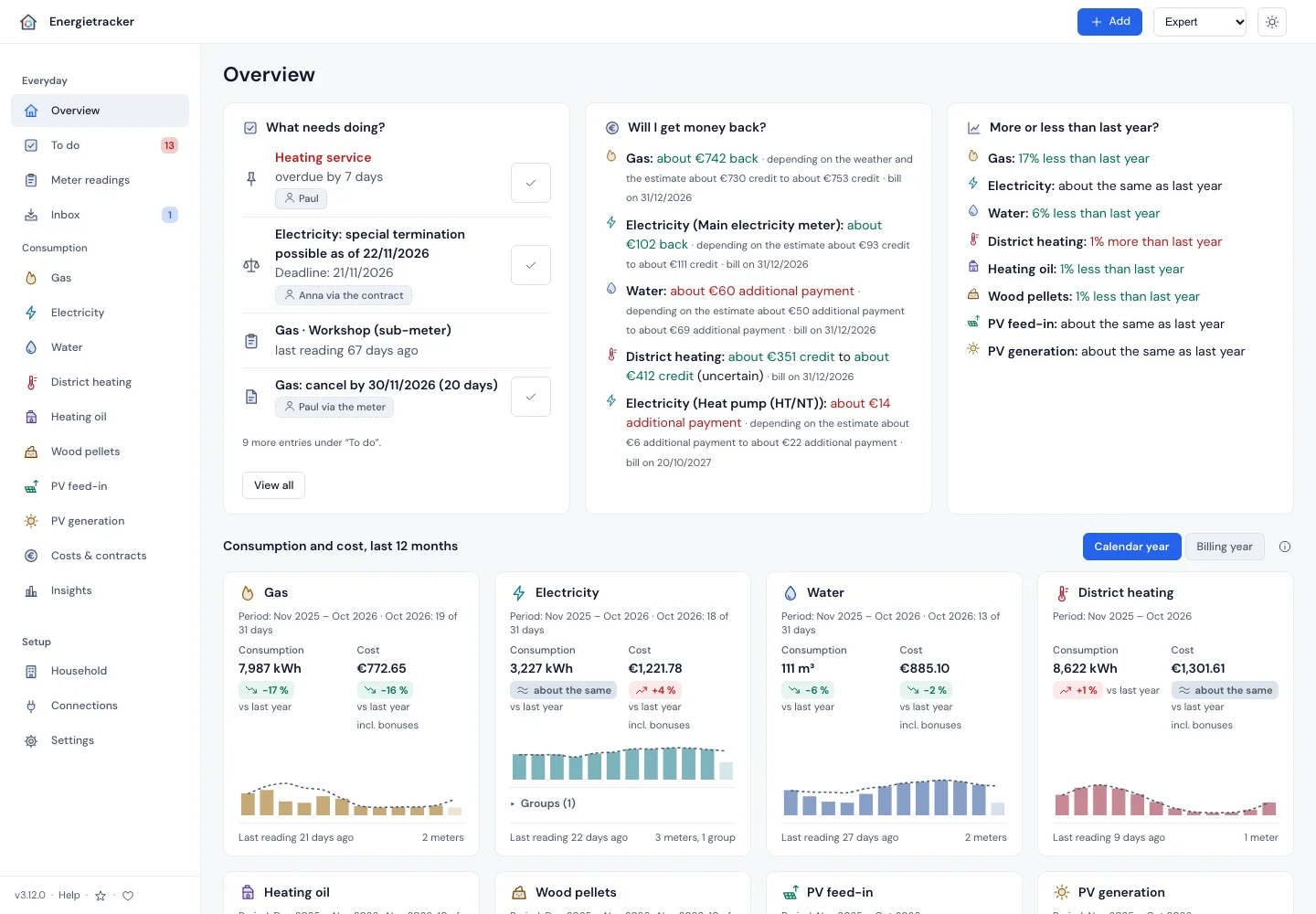
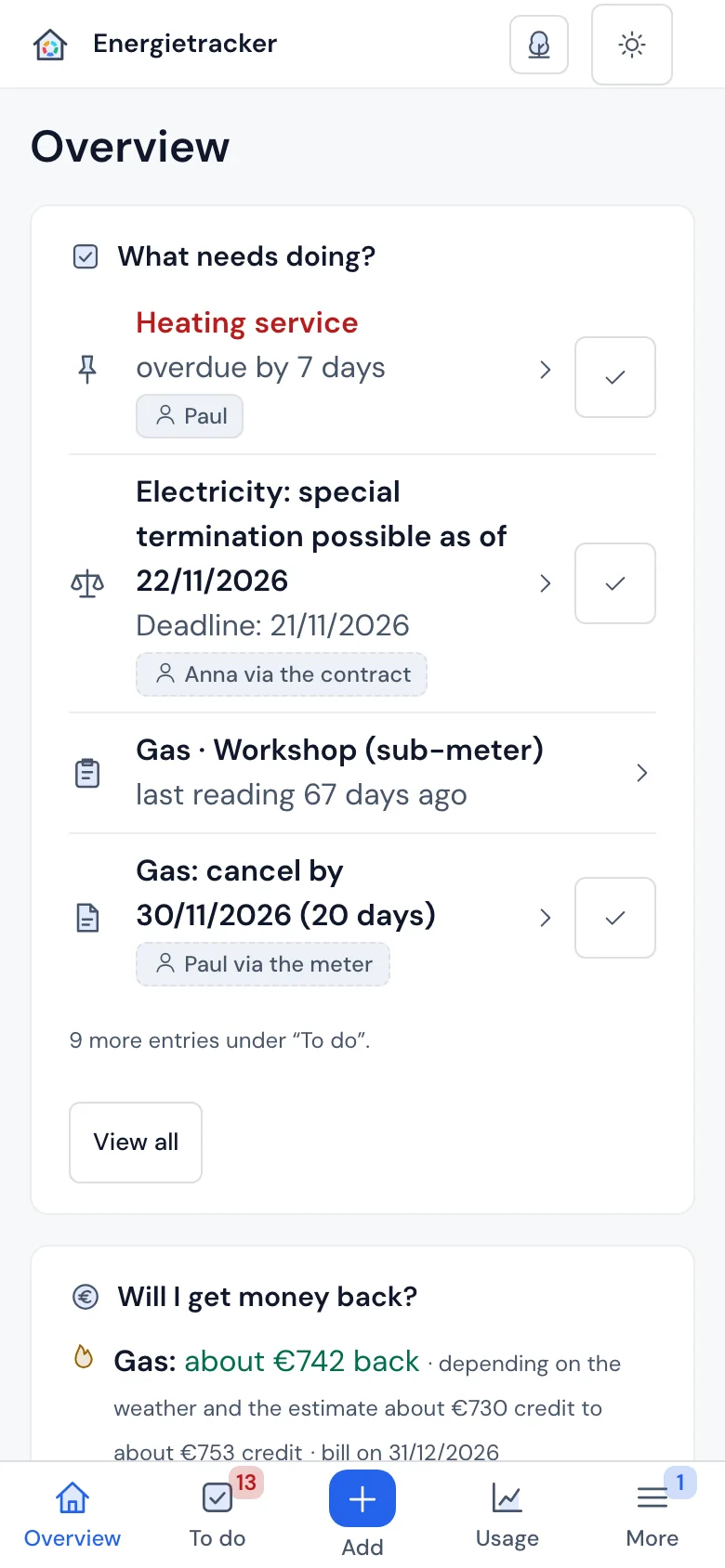
How it works
Three steps, and you know where you stand.
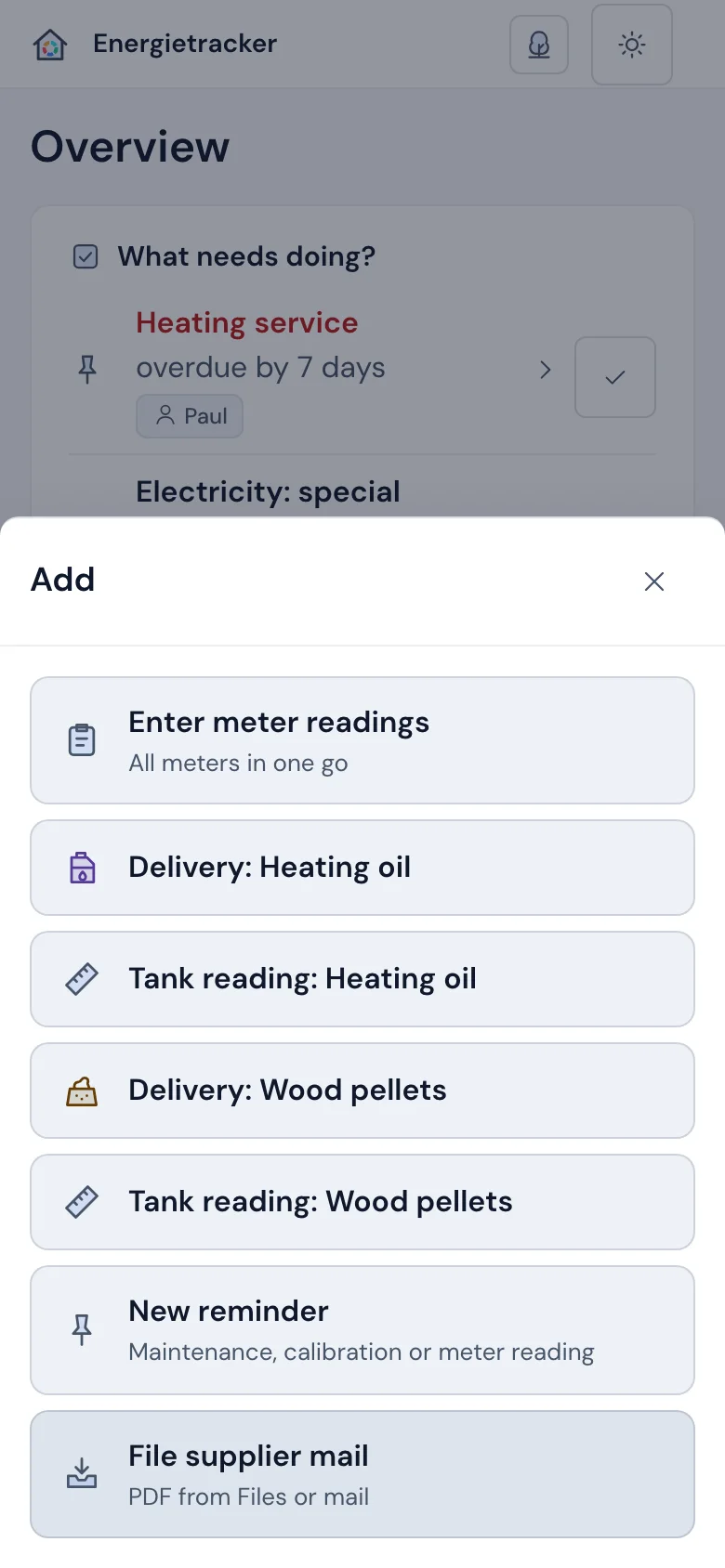
- Readings or bill inBy hand, by CSV, as a PDF from your supplier’s mail or automatically from Home Assistant.
- Energietracker calculatesWith your contract to the day, with the weather where you live and with a forecast up to the bill.
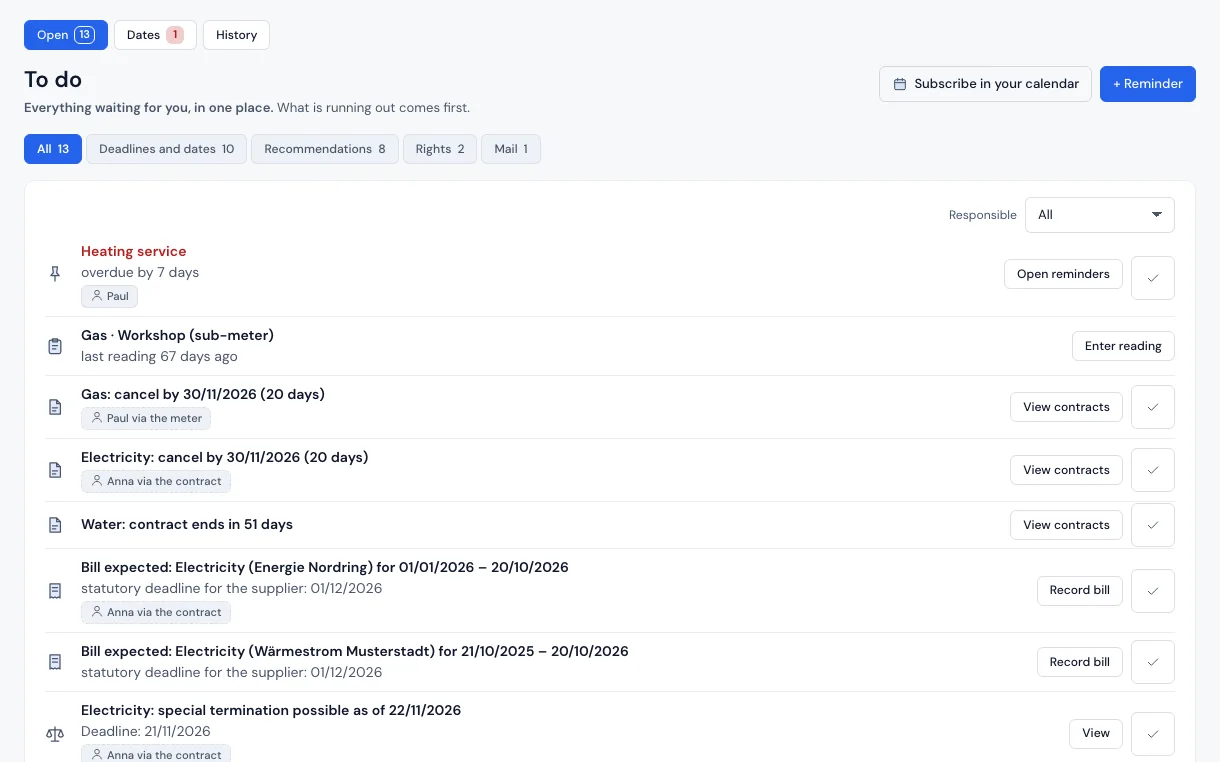
- You get answers and remindersBalance, deadlines, letters and notes under To do, and if you like in your calendar and in Home Assistant.
Answers at a glance
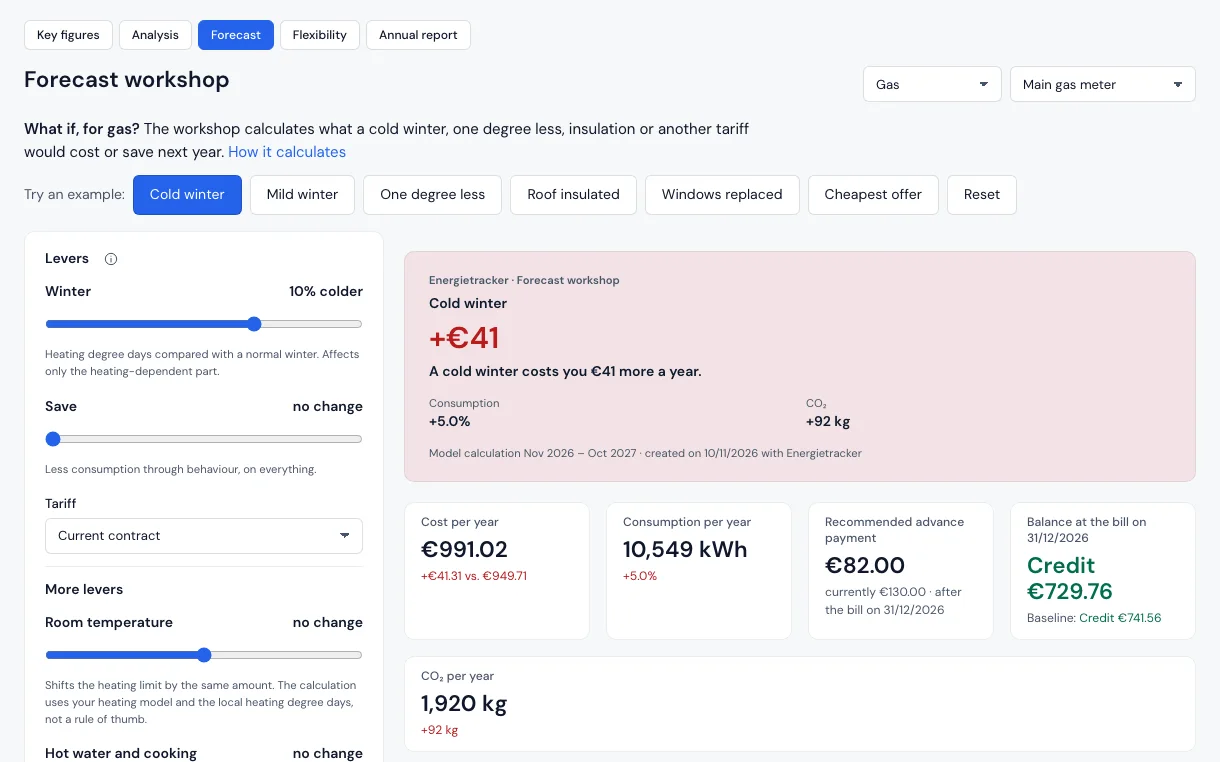
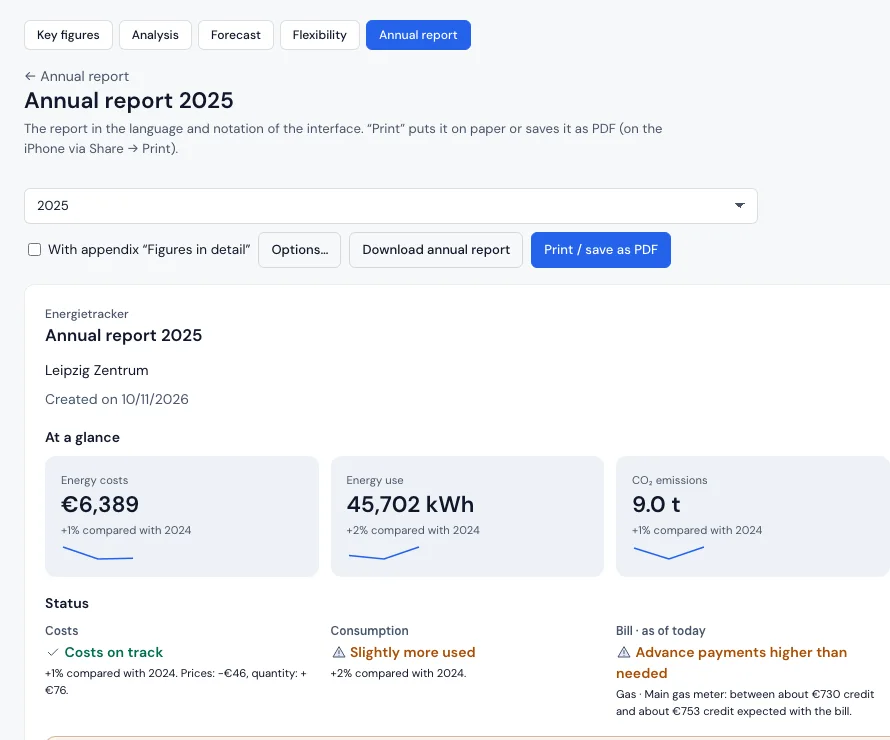
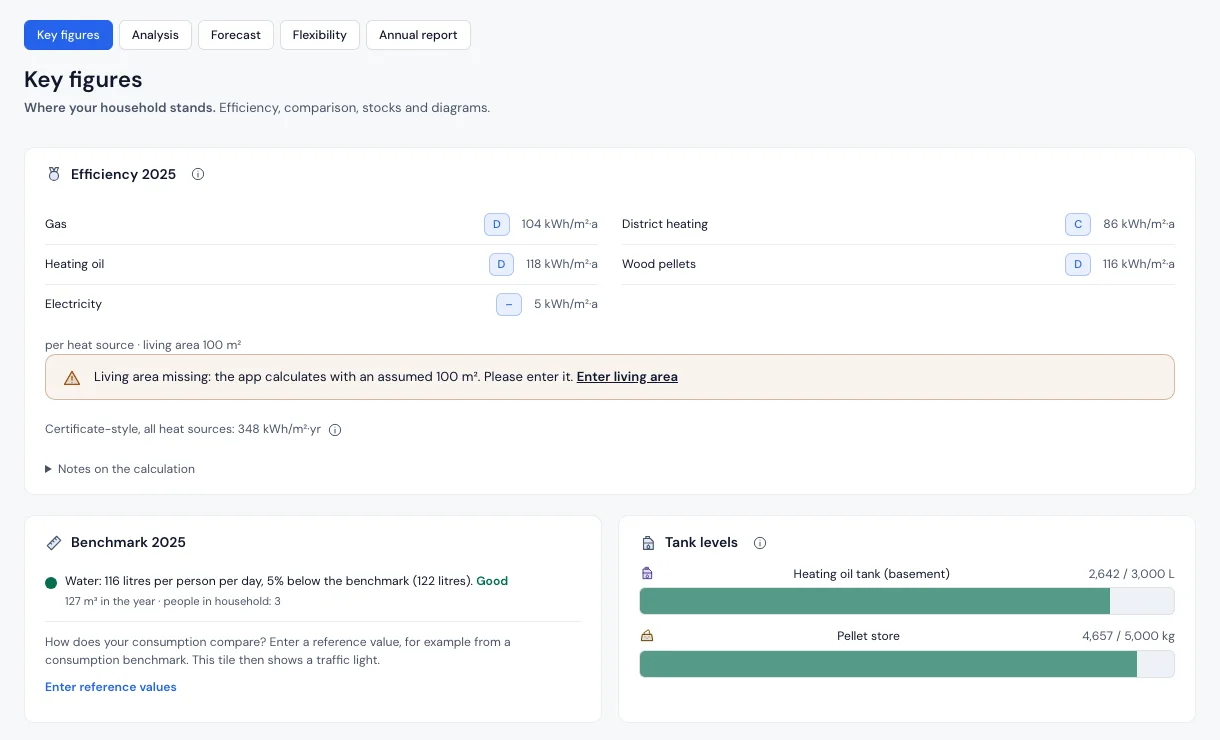
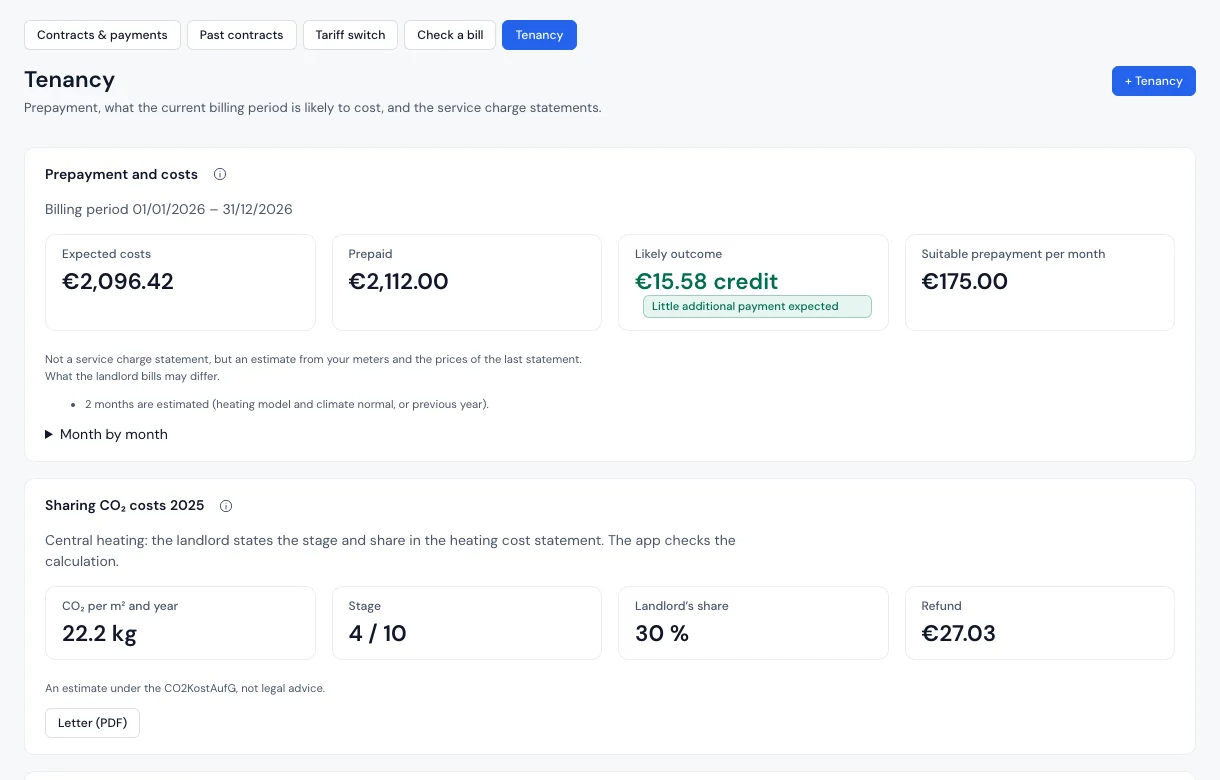
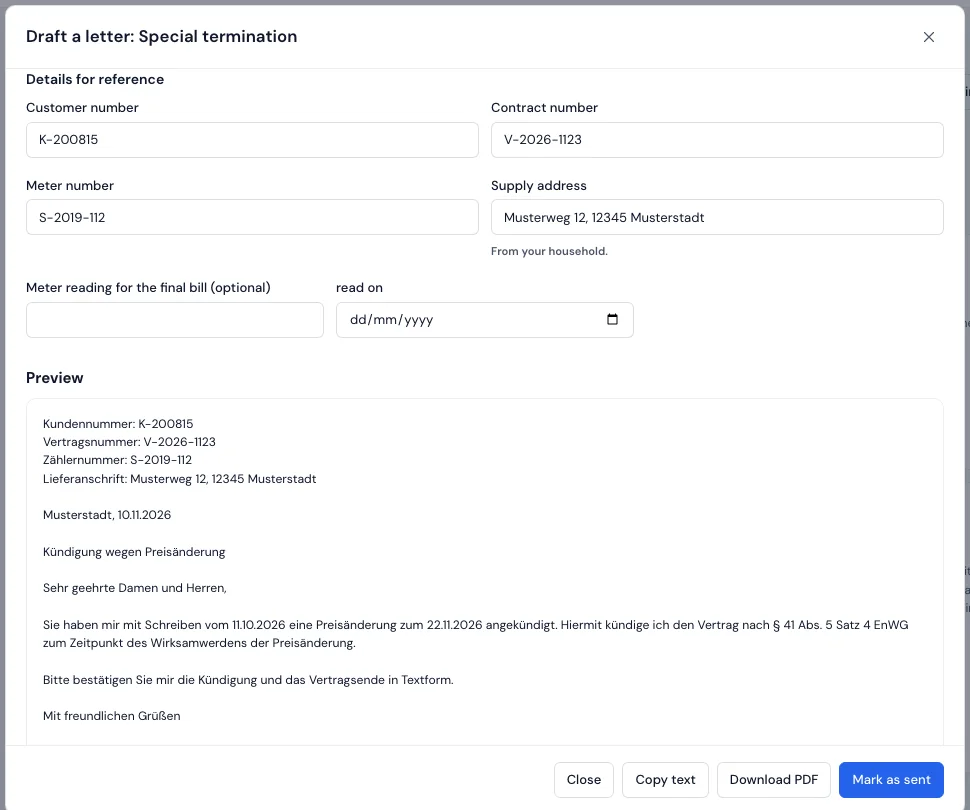
Every picture answers a question. From the sample households, all figures invented.
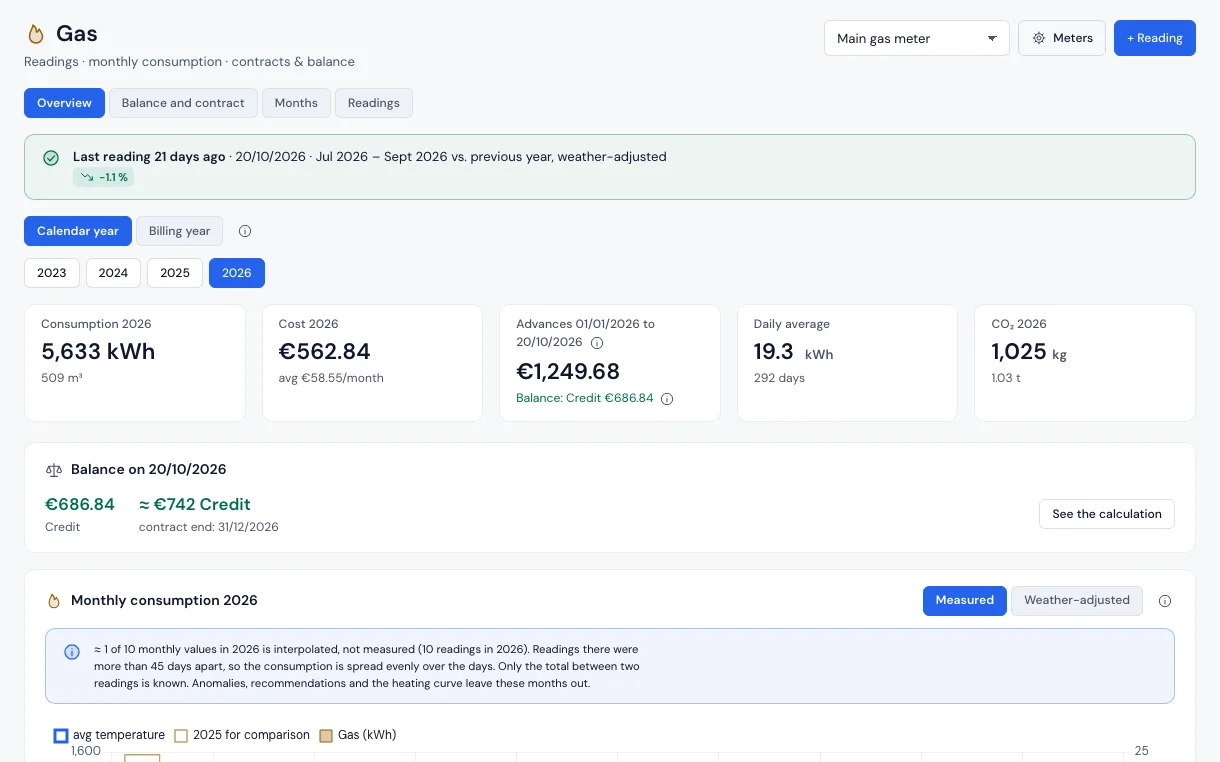
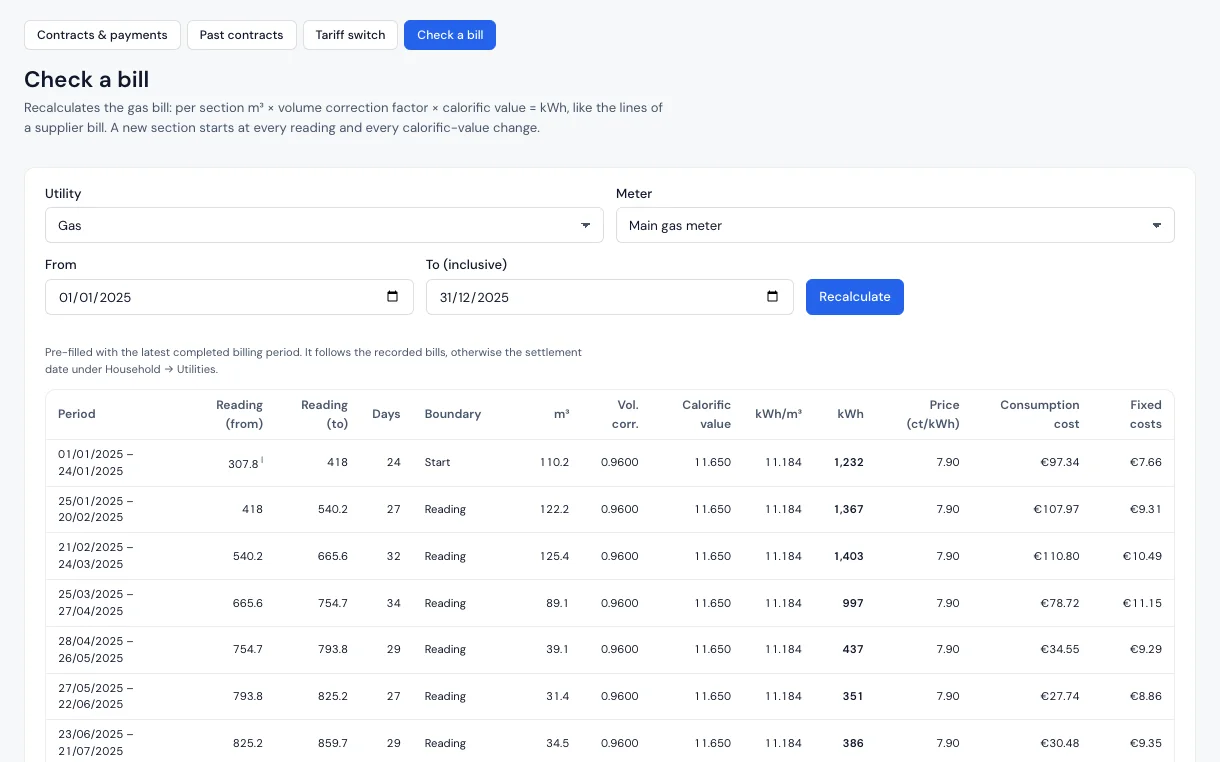
What you get out of it
The financial side, without promises: you see your own figures, no made-up savings.
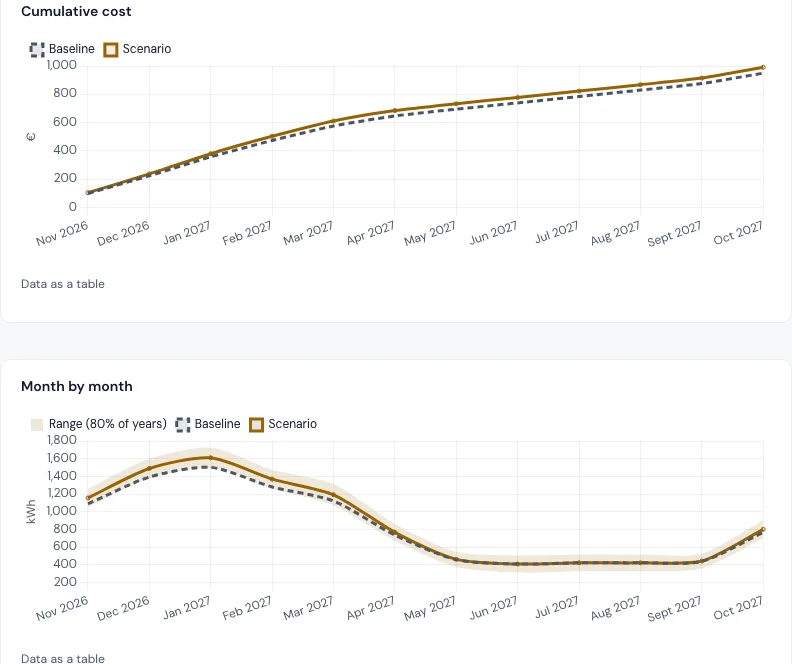
- No back-payment as a surprise. You see long before what the bill will bring, with a range.
- Adjust the advance payment in time. If it is far too high, the request comes ready as a letter.
- Find errors in the bill: quantity, price and fixed costs recalculated, a missing bonus stands out.
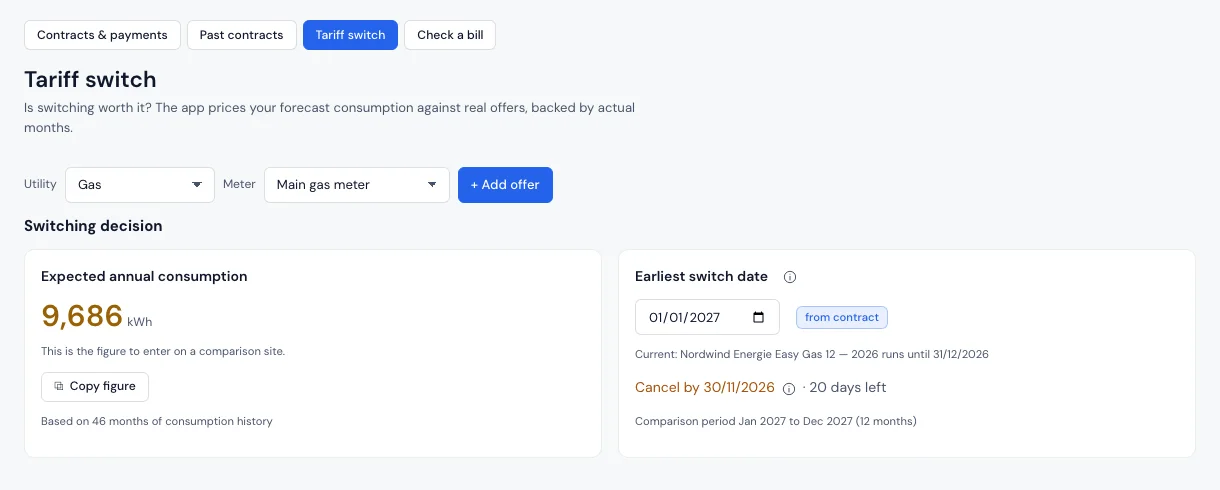
- Work through a switch, with the prices from the second year and the last day to cancel.
- Miss no deadline: notice and special termination in good time under To do and in your calendar.
- Share the CO₂ costs as a tenant: with your own gas boiler the app works out the landlord’s share, with a letter.
For every kind of energy
Nine utilities, one way of calculating. In seven languages: German, English, French, Italian, Spanish, Portuguese and Dutch.
- Gasm³ to kWh by effective date, bill check, weather taken out.
- ElectricityPeak/off-peak, heat pump and wallbox, controllable devices, dynamic tariffs.
- WaterDrinking water, waste water and rainwater, garden and hot water meters.
- District heatingCapacity and metering charge as on the bill, bill check.
- Heating oilTank log from deliveries and dipstick readings, stock over the year.
- PelletsLike heating oil, in kilograms, the delivery invoice is the contract.
- PV feed-inRemuneration per billing year, credits from the direct marketer.
- PV generationSelf-consumption, self-sufficiency, battery, balcony plant, payback.
- HeatConsumption report of the metering service, hot water, heat pump performance factor.
Where do you stand?
Pick your case. Each one leads to a matching sample household in the demo.
-
Home with heat pump, PV, battery and electric car
What does the sun bring, and what does the heat pump cost?
- Every contract pays only its share, also with heat pump and peak/off-peak.
- Self-consumption, self-sufficiency, battery and performance factor in figures.
- Quarter hours from Home Assistant, charging sessions from evcc: did shifting pay off?
The weather-based forecast for heat pump, PV and battery comes with v3.13, planned for 17 Nov 2026.
-
Home with gas, oil or pellets
Is the advance payment enough, and when does the tank run dry?
- Balance and expected bill, plus a suggested advance payment.
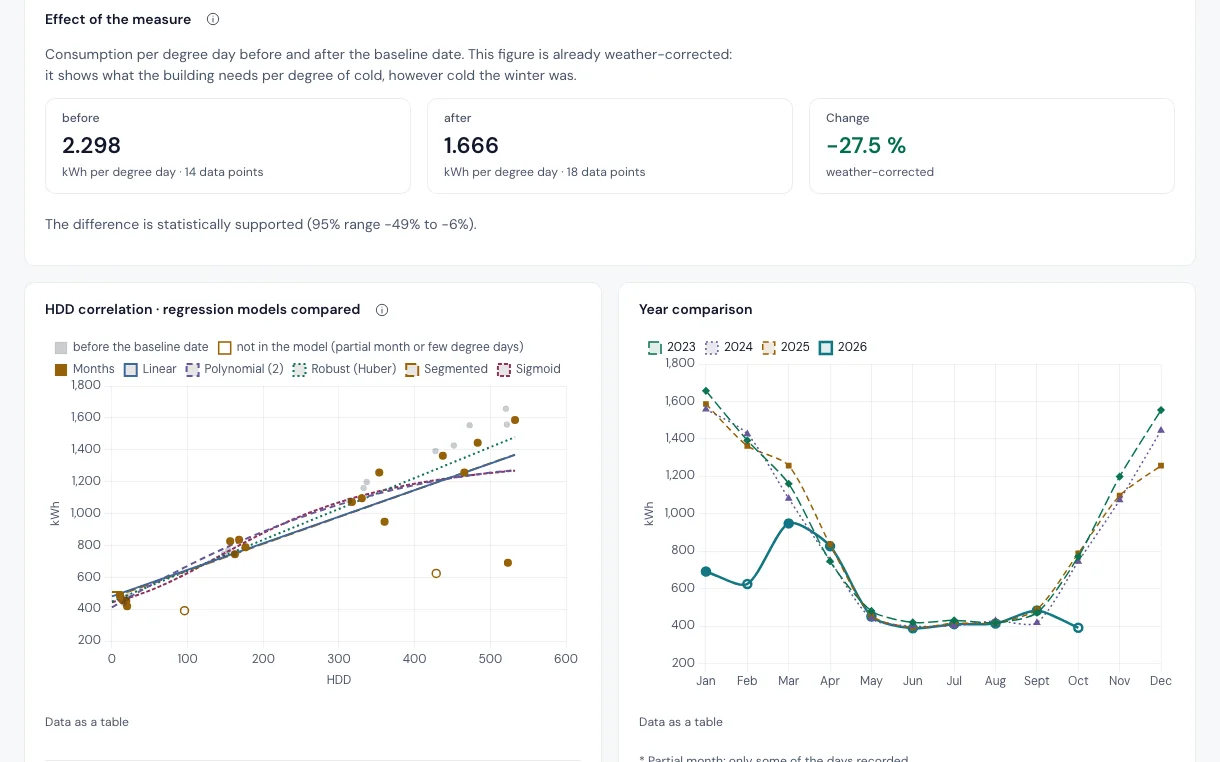
- Used more, or just colder? With the weather where you live.
- Tank log for oil and pellets, a new heating in the workshop.
-
Flat with district heating
Are the standing charge and advance payment right?
- Capacity and metering charge as they appear on the bill.
- Check a bill, section by section.
- Advance payment far too high? The request comes as a letter.
-
Renting
Is the prepayment enough, and is the service charge statement right?
- A suitable prepayment per month, an estimate from your meters.
- Share CO₂ costs with the landlord, with a letter.
- Deadlines for the statement and objections in your calendar.
The CO₂ split applies only in Germany and is not legal advice.
-
Your rights as a customer
Check, understand, know your rights.
- Seven checks under German law, such as a late bill or a missing bonus.
- Every note names the provision with its source and date.
- The matching letter as a PDF, the deadline as an appointment.
A note, not legal advice.
-
With your own AI
Ask your AI how electricity and gas are doing.
- The AI is the interface, Energietracker the file behind it.
- Every figure with its basis, the same figures as in the app.
- Off by default; changes only after you confirm them in the app.
Tested with Open WebUI and a local model through Ollama, other programs experimental. The demo has no AI interface.
Home Assistant and HACS
Home Assistant measures, Energietracker settles the bill. Contracts, advance payments and forecasts are added, while Home Assistant quietly delivers the readings.
- Readings arrive by themselves, daily or per quarter hour, protected by a key.
- As an app in Home Assistant OS: in the sidebar, with your users and in Home Assistant backups.
- Sensors without a line of YAML: To do, next appointment and per meter balance, consumption, forecast and days since the reading.
- Deadlines and new mail are sent by Energietracker itself as notifications.
How it gets into Home Assistant
- Add the app: add the repository with one click, install and start Energietracker.
- Add sensors: the integration as a custom repository, in the Marketplace (Home Assistant 2026.11 or later, connect GitHub once) or in HACS.
- Send readings: under Connections › Home Assistant the templates are ready to copy.
Add the app to Home AssistantOpen in Home AssistantConnecting Home Assistant
Still young: the app is marked experimental, the integration is a custom repository in the Marketplace or in HACS for now. It needs Energietracker 3.9.0 or later and Home Assistant 2026.3 or later.

Why you can trust Energietracker
You do not have to believe anything, you can check it all. Here is what the app does, what it does not do and where that is documented.

- Your data stays with you. No accounts, no ads, no telemetry, no database, just JSON files on your server. README, Your data
- Open source under the AGPL. At home it is yours. Under Settings › System a link leads to the source code of exactly the running version. Licence
- Signed images. Since 3.10.0 every image is signed, keyless and in the public transparency log, and carries a bill of materials and provenance. Checking the image
- Security with deadlines. Every Tuesday the latest release is rebuilt and scanned for known vulnerabilities. You report issues confidentially and get an acknowledgement within 7 days. Security policy
- Legal sources with a date. Every provision with a link, the day it was read and how certain the statement is. The app never states uncertain rules. Legal basis
- 2,667 test methods in 3.12.0. Every new rule has a counter-test that breaks it. Calculations are checked by hand, and every figure in the README is tied to a test. CHANGELOG, Tests
- Dependable interfaces. APIs, CSV formats and the backup format change only additively. Anything is removed only with a new major version and after notice. README, Status
- An open roadmap with a rhythm. A release has one theme and comes out when it is done and tested, usually after one to three weeks. Roadmap
- Ideas are assessed. Before each release what counts is benefit for many, closeness to the bill, effort and privacy. Declined ideas get a reason. Roadmap, Ideas
- Limits are stated. Since 3.7.0 every release lists under “Known limits” in the CHANGELOG what it cannot do yet. The roadmap says what is deliberately not planned. Known limits
What leaves your home
| Connection | By default | What goes out |
|---|---|---|
| Weather sync with Open-Meteo | on, can be switched off | your location rounded to about 1 km, once a day |
| Place search at Open-Meteo | only when you use it | the place you search for |
| Note about new versions | off, you switch it on | once a day GitHub is asked for the newest version number |
| Wholesale prices from SMARD | only when you tap | nothing of yours |
| Text recognition, evcc, Home Assistant | only when you set them up | only to your own services in your home network |
| Reading in the cloud, experimental | off, only an administrator switches it on | documents to the chosen service |
| AI interface (MCP) | off | only answers to requests with a key of its own |
Fonts, Chart.js and PDF.js ship with the repository, nothing is loaded from a CDN at runtime.
What Energietracker cannot do yet
- Weather-based forecast for heat pump, PV and battery: comes with v3.13, planned for 17 Nov 2026.
- AI: tested only with Open WebUI and Ollama. Whether another program asks before applying a change is not tested; that is why by default you confirm in the app.
- Rights under German law only. In other countries the app shows no notes on rights.
- At home in Germany in substance: for eight more countries, profiles set currency, formats and weather. There are no efficiency classes there, and the app does not convert currencies.
- Home Assistant: the app is experimental, the integration a custom repository in the Marketplace or in HACS for now.
- iPhone and iPad are tested in the WebKit test browser, not on a real device.
- Legal basis: before each release a person reads every line against the wording in force. For v3.11.0 that is still pending, as the page itself says.
Frequently asked questions
Do I need Home Assistant?
No. You enter readings by hand, by CSV or from your supplier’s mail. Home Assistant is one way among several, and the app runs fully without a single connection.
Does it cost anything?
No. Using, changing and passing it on is free, with no account and no fee. A coffee for the development is voluntary. Only if you connect a cloud AI may its provider charge you.
Where is my data?
On your own server, as JSON files, with a backup as a file. By default only the weather sync goes out, and you can switch it off.
Does it work with my supplier?
Yes, with any. You enter contract and prices yourself or take them over from the bill. No connection to the supplier is needed.
Do I need an AI?
No. The AI interface is off by default, and if you do not use AI you lose nothing. To read supplier mail you set up a service of your own; entering by hand always works too.
What does it run on?
On anything that runs Docker (amd64 and arm64), as an app in Home Assistant OS or on a web server with PHP 8.3 or later. You use it in the browser, on the Mac as on the iPhone.
Does it work outside Germany?
Calculating, yes, with country profiles for eight more countries. Efficiency classes and the checks of your rights exist only under German law.
Installed in three steps
Pick the way that fits your home. The same program runs everywhere. The image is built for amd64 and arm64.
Docker
on your computer, NAS or server
- Start the container:
docker run -d --name energietracker \ --restart unless-stopped -p 8080:80 \ -v energietracker-data:/data \ ghcr.io/bingerminger/energietracker:3 - Open
http://localhost:8080. - “Try with sample data” shows right away what everything looks like; your own data is not lost.
Home Assistant OS
as an app with an entry in the sidebar
- Add the repository with one click or enter the address under Settings › Apps › ⋮ › Repositories:
https://github.com/Bingerminger/energietracker-ha - Install and start Energietracker.
- Open it in the sidebar. The first person to open it administers the installation.
Sensors as well: the integration as a custom repository, in the Marketplace from Home Assistant 2026.11 or in HACS.
NAS and home server
Synology, Unraid, CasaOS or Umbrel
- Synology: in Container Manager under Project › Create, choose a folder and paste the
docker-compose.ymlfrom the guide. - Start the project.
- Open
http://<NAS address>:8080.
Templates for Unraid, CasaOS and Umbrel are included. The Unraid template is checked against the format and the image, but not tried on a real Unraid server.
Your own web server
Apache or nginx with PHP 8.3 or later, no Composer
- Get the code onto the server, for example with
git clone. - Set up Apache with the included
.htaccessor nginx with the rules fromdocker/nginx.conf. - Give the web server write access to
data/and open the address.
Without sign-in, anyone who can reach the app can read and change everything. On your own home network that is fine. Before allowing access from outside, switch sign-in on. Security and network operation
One project, three repositories
Everything is public: code, handbook, roadmap and every change.
- Energietracker
Bingerminger/energietrackerThe app itself, with a handbook in German and English, roadmap and CHANGELOG. Licence AGPL-3.0-or-later. - Home Assistant app
Bingerminger/energietracker-haBrings Energietracker to Home Assistant OS as an app, with the same image as Docker. Its version is the Energietracker version. - HACS integration
Bingerminger/energietracker-integrationSensors in Home Assistant without YAML. It reads only the stable interfaces, so a new Energietracker release needs no new integration release.
To read on
Demo in the browserHandbookReleasesRoadmapCHANGELOGDiscussions
Get involved and support
Energietracker is independent: no company behind it, no advertising, no cloud account. It is maintained in spare time.
- A star on GitHub helps, just like bug reports and telling others. To the project on GitHub
- Suggest ideas under Discussions › Ideas. Give existing ideas a thumbs up, so it shows what matters to many. Ideas
- Report bugs as an issue, ideally with version, steps and an invented example instead of real bills. Open an issue
- Security issues please not in public, report them confidentially through GitHub. Report confidentially
- Translate and contribute: pull requests are welcome. A new language is mostly translation. Contributing
- Support, entirely voluntary: if Energietracker helps you and you want to give something back, you can buy a coffee. buymeacoffee.com/bingerminger